Two days ago I wrote a post on ‘What does Twitter know about me? My .zip file with 50Mb of data‘ where I showed that Twitter is currently storing 152 phonenumbers and 1186 e-mail addresses from my contacts which have been imported when I used the Find Friends feature. However, it seems fairly simple to remove this data from Twitter (although it would require another request to be 100% sure that all contacts have been deleted) using the following instructions which have been provided by the Twitter Help Center:
To remove contact info from Twitter after importing:
You can remove imported contact info from Twitter at any time. (Note: Your Who to follow recommendations may not be as relavant after removing this info.)
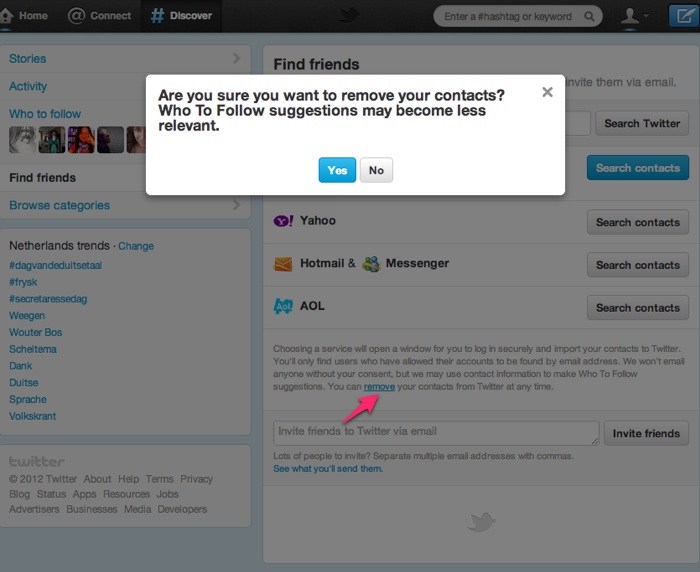
- Click on Find Friends on the Discover page.
- Under the email provider list is a block of text. In that text there is a link to remove your contacts (highlighted below).
- Click remove, and you will be prompted to confirm that you’d like to remove your contacts.
93 thoughts on “An easy solution to remove your contacts from Twitter”